
21 July 2026
A Simple Guide to Goods Received Software for Retail
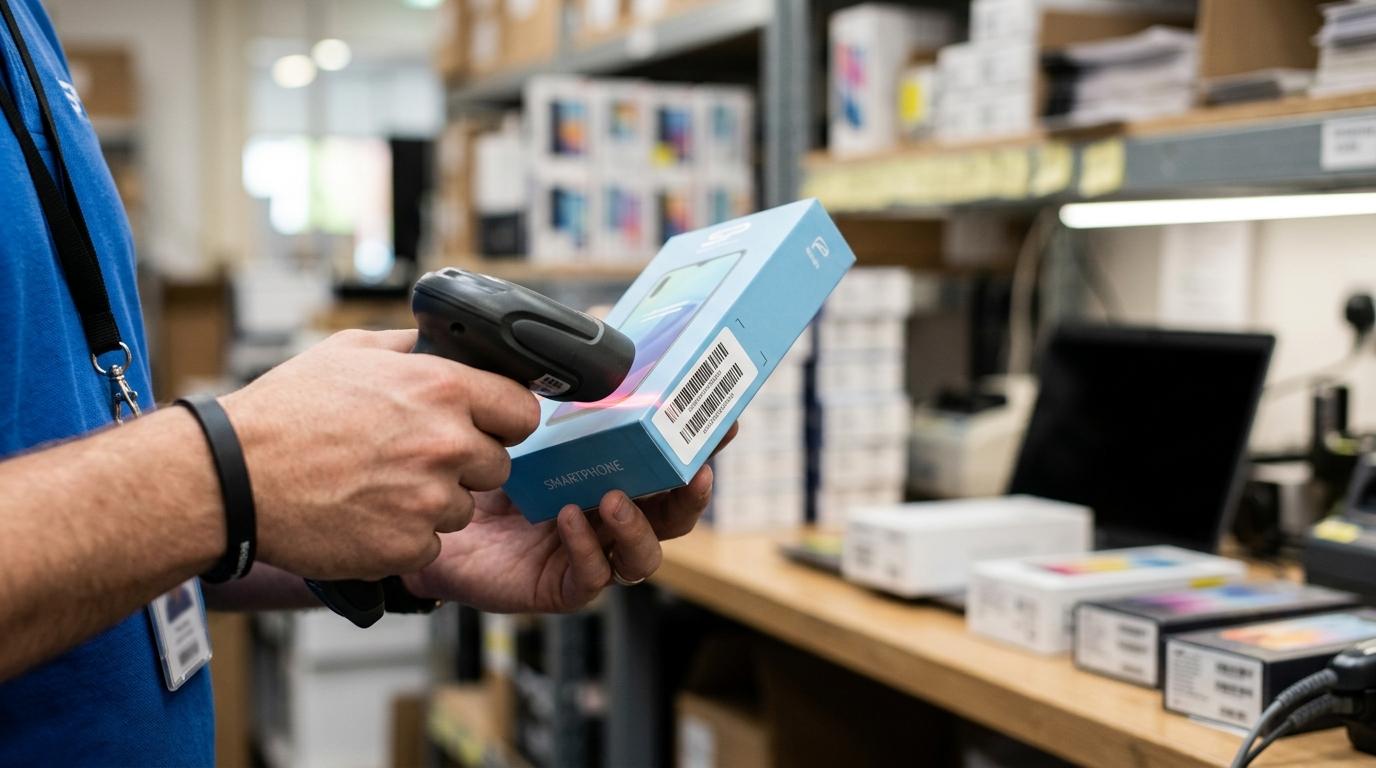
Goods received software sits at a very important point in retail operations: the moment stock crosses the threshold from expected to available. If that step is handled well, inventory records stay reliable, staff waste less time chasing errors, and purchasing decisions become easier to trust. If it is handled badly, the problems begin immediately.
For many retailers, receiving still relies on paper notes, spreadsheet checks, and memory. That may feel manageable with a low volume of deliveries, yet errors build quickly when teams are busy, shipments arrive in parts, or products carry serial numbers. A system designed for goods receiving gives structure to that process and turns a routine task into a control point.
What goods received software does in retail
Goods received software helps staff verify incoming deliveries, compare what arrived against the purchase order, log any damage or shortages, and update inventory records at the point of receipt. In simple terms, it creates a proper record of what was expected, what actually turned up, and what should happen next.
That matters because receiving is not only about counting boxes. It is also about confirming condition, timing, supplier accuracy, and whether stock can be sold straight away. A strong receiving process can identify missing units, damaged items, wrong variants, or serial number mismatches before those errors spread into the wider business.
In a retail setting, the software often connects receiving with purchasing, stock control, and accounts. Once goods are accepted, stock on hand can update straight away. If discrepancies appear, the system can hold those lines for review rather than pushing bad data into live inventory.
Why receiving accuracy matters for stock control
Inventory accuracy is a bigger issue than many businesses assume. A widely cited study published in Management Science examined nearly 370,000 inventory records across 37 stores and found that 65% of the records were inaccurate. That figure is striking because it shows how common stock errors can become, even in established retail environments.
Receiving is one of the earliest points where those inaccuracies start.
 If a supplier sends the wrong quantity and nobody checks it against the purchase order, the system may show stock that never existed. If damaged items are booked in as good stock, availability looks stronger than reality. If a partial delivery is treated as complete, reordering can be delayed at exactly the wrong time.
Standardised controls help prevent that drift. Receiving teams typically work from purchase orders, receiving logs, and discrepancy checks to keep system records aligned with physical goods. Software makes those controls practical, repeatable, and much easier to audit.
Core goods receiving workflow steps in software
Most goods receiving software follows a clear sequence. It starts with an expected delivery, usually tied to a purchase order or shipment notice, and ends with a clean stock update plus a record of any issues that need follow-up.
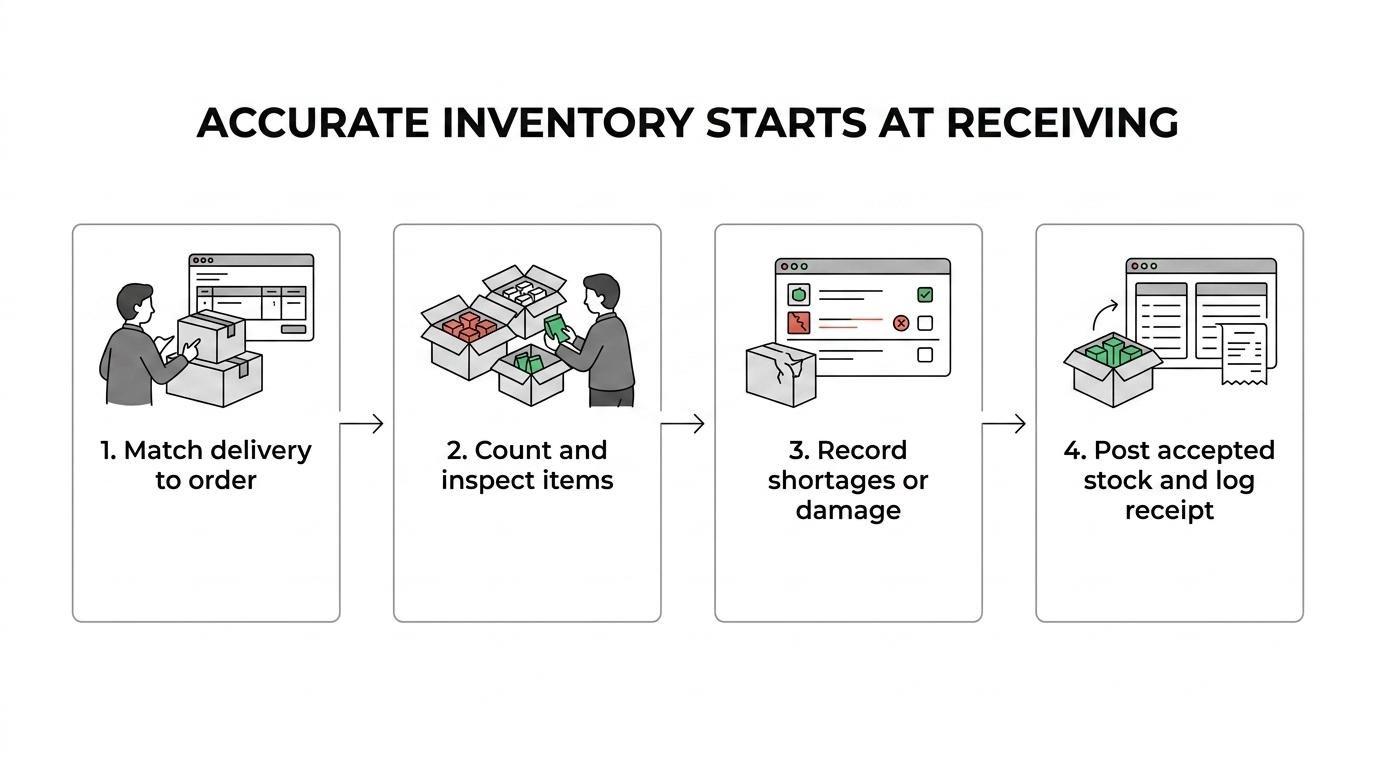
A good workflow does not need to be complicated. It needs to be consistent. Staff should be able to see what was ordered, count what arrived, note exceptions, and complete the receipt without rekeying the same information into different tools.
Typical steps include:
- Match documents: compare the delivery against the purchase order and, where relevant, the bill of lading or shipment reference
- Count quantities: confirm each line rather than accepting the supplier count by default
- Check condition: record damage, opened packaging, missing accessories, or incorrect variants
- Barcode scanning
- Serial or IMEI capture
- Partial delivery handling
- Create discrepancy items: flag shortages, overages, or damaged goods for supplier follow-up
- Update stock on hand: post only the accepted quantity into live inventory
- Store a receiving log: keep date, time, supplier, staff member, and receipt details for later review
That last point matters more than it may seem. A proper receiving log creates accountability and gives the business evidence when supplier disputes arise.
Key goods received software features to look for
Feature lists can become vague very quickly, so it helps to focus on what improves accuracy, speed, and traceability. Retailers do not only need a screen for entering quantities. They need a system that reduces manual input and keeps every related record connected.
The right feature set depends on the products being received, the number of locations, and whether stock is serialised, repair-related, or high value. A fashion chain, convenience shop, and mobile phone retailer will not have identical needs, though the core controls remain similar.
| Feature | Why it matters | Best suited to |
|---|---|---|
| Purchase order matching | Stops staff receiving items without a valid expected order | All retail operations |
| Barcode scanning | Reduces manual entry mistakes and speeds up counting | Busy shops and warehouses |
| Serial number or IMEI tracking | Confirms the exact units received and protects traceability | Electronics and mobile retail |
| Partial delivery processing | Allows open orders to remain active until all stock arrives | Retailers with frequent split shipments |
| Damage and shortage logging | Creates a clear discrepancy record for supplier claims | Any business with inbound variance |
| Real-time stock update | Makes accepted goods available across the system quickly | Multi-location retail |
| User permissions and audit trail | Shows who received stock and what changed | Businesses with several staff roles |
| Integration with accounts | Helps invoice checking and supplier reconciliation | Retailers with high PO volume |
Some platforms add advanced options as well, including ASN receiving, label printing, parcel management, and reporting on supplier performance. Those are especially useful when receiving volume is high or when several branches depend on central stock visibility.
Common causes of inventory discrepancies during receiving
Inventory discrepancies are often blamed on stocktakes or sales activity, yet many begin the moment goods are booked in. If receiving is rushed, inconsistent, or poorly recorded, the system can drift away from reality before products even reach the shelf.
Retail guidance on inventory discrepancy regularly points to human error, vendor mistakes, and misplaced stock as major causes. Receiving sits right at the intersection of all three.
Common causes include:
- Supplier quantity errors
- Wrong product or variant delivered
- Damaged items accepted as good stock
- Manual data entry mistakes: transposed numbers, duplicate entries, or wrong units of measure
- Poor document matching: deliveries received without checking the purchase order
- Unclear location control: stock booked in but placed in the wrong area
- No discrepancy process: shortages noted informally and never recorded in the system
When software highlights discrepancy items clearly, teams can deal with exceptions straight away instead of trying to reconstruct events days later.
Goods received software for mobile phone retail and serialised stock
For mobile phone retailers, receiving has extra layers of complexity. Handsets are high value, usually serialised by IMEI, and often received alongside accessories, cases, chargers, and repair-related parts. A simple quantity-only receiving process is rarely enough.
If five phones arrive and one IMEI is missing from the expected range, that is not a minor issue. If a sealed device is physically present but recorded against the wrong stock line, the error can affect warranty handling, sale traceability, and later stock investigations. Goods received software built for serialised products helps teams capture the exact units that arrived, not just the carton count.
This is where sector-specific design makes a visible difference. A platform shaped around mobile retail can link IMEI intake, barcode labels, supplier records, stock transfers, and sales in one place. That reduces the need for separate tools and lowers the risk of staff working around the system.
It also helps when shops handle both new stock and repair workflow. Parts received for repairs, replacement devices, and trade stock all need slightly different treatment. A receiving process that recognises those distinctions keeps stock clean from the start.
How goods received software supports purchasing and supplier control
Receiving should not exist in isolation. The best results come when goods received software is tied closely to purchasing. That connection gives staff a live reference point for what was ordered, what has already arrived, and what is still outstanding.
It also improves supplier management. Over time, businesses can review which suppliers send frequent shortages, how often shipments arrive damaged, and where delays tend to occur. That creates a stronger basis for supplier conversations than anecdotal complaints from store staff.
A useful system can support:
- Open purchase order tracking
- Expected versus received reporting
- Supplier discrepancy history
- Credit note follow-up
- Delivery performance review
These controls help purchasing teams order with more confidence and challenge supplier issues with proper evidence.
How goods received software connects to accounts and retail reporting
The financial side of receiving is often overlooked. When stock is received incorrectly, invoice checking becomes harder, supplier statements take longer to reconcile, and margin reporting starts from the wrong baseline.
A connected system allows accepted goods to flow into stock valuation and purchase records without duplicate entry. If a line is damaged, missing, or disputed, that status can remain visible to accounts teams rather than disappearing into store-level notes. This reduces confusion when the invoice arrives.
For multi-location retail, shared visibility is especially useful. Branch teams can see whether stock is still expected, already received at another site, or delayed in transit. Management can review receiving activity across locations and spot unusual patterns early.
That level of reporting supports better decisions in several areas:
- Reordering: stock availability reflects what is actually on site
- Cash flow: invoice disputes can be identified before payment
- Loss prevention: high-value discrepancies become visible faster
- Audit readiness: physical inventory counts can be checked against clean receiving records
Practical checks before choosing goods received software
Not every receiving tool fits every retail operation. A small independent shop may need speed and simplicity. A warehouse-backed chain may need branch controls, bulk receiving, and stronger reporting. The right choice depends on workflow, not just feature count.
It helps to review how deliveries are handled today. Are staff checking against purchase orders? Are discrepancies captured inside the stock system or written somewhere else? Are serial numbers scanned at receipt or later on? Those answers usually reveal the gaps very quickly.
Before choosing a platform, look closely at the following:
- Real workflow fit: can staff receive stock the way the business actually operates
- Serialised stock support: essential for phones, tablets, and other tracked devices
- Multi-location visibility: useful when branches and warehouses share stock
- Same-day usability
- Browser access
- Clear audit history
- Integrated stock and accounts data: reduces duplicated admin and conflicting records
- Discrepancy handling: shortages, damage, and partial deliveries should be easy to record
For retailers working with fast-moving, high-value, or serialised products, the most effective systems are usually the ones that connect receiving with POS, inventory, repairs, and accounts rather than treating inbound stock as a separate task. That keeps the record clean at the exact moment accuracy matters most.