£
POS & Sales Returns
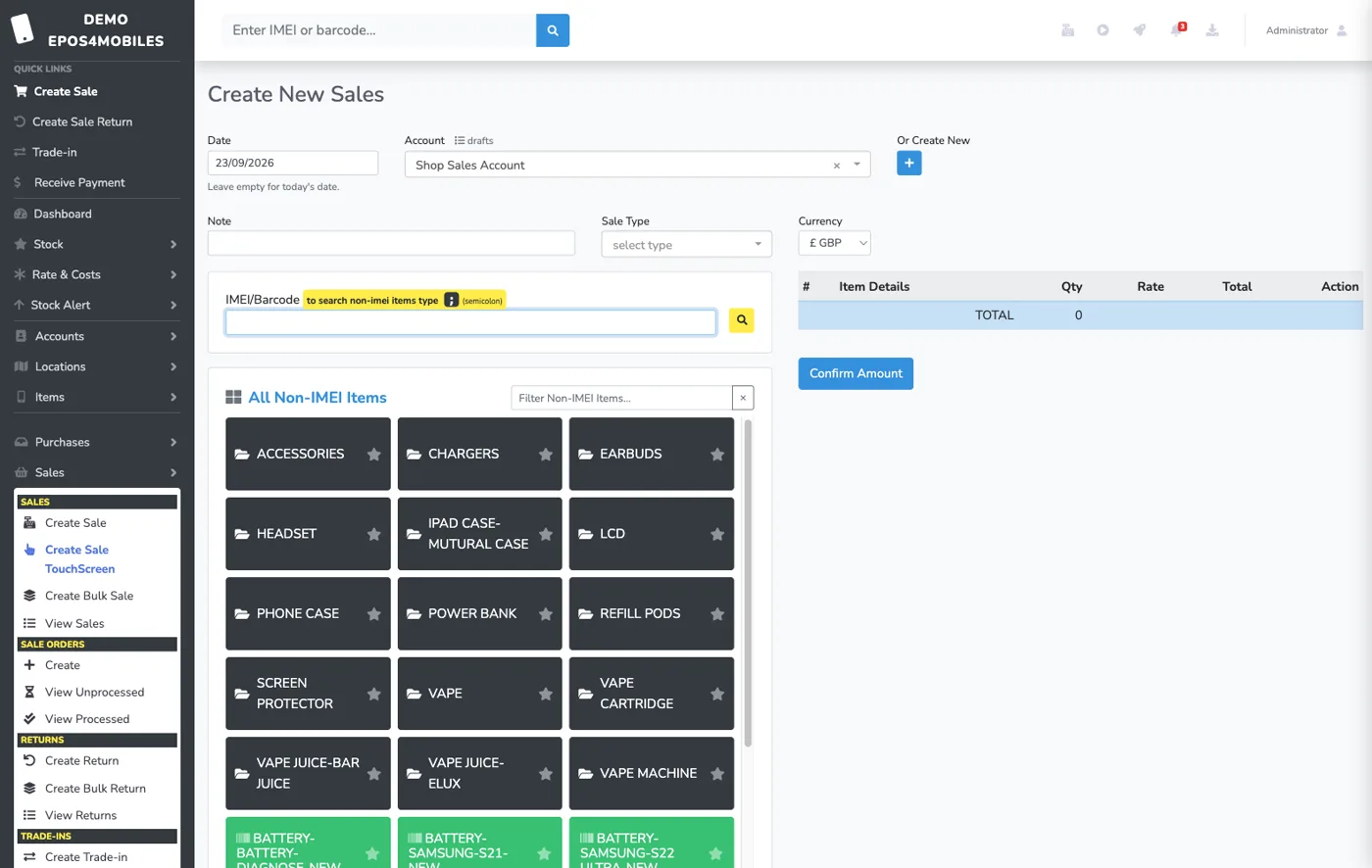
Touch-screen or keyboard sales, IMEI and barcode search and mixed payments. Refunds use the discounted sale price, with return receipts offered as you give the refund.

Trusted by mobile retailers across the UK, Europe & Middle East
Run sales, IMEI and non-IMEI inventory, purchase orders, repairs, QC, parcels, accounts and WhatsApp customer updates from one browser-based system.
See it in action
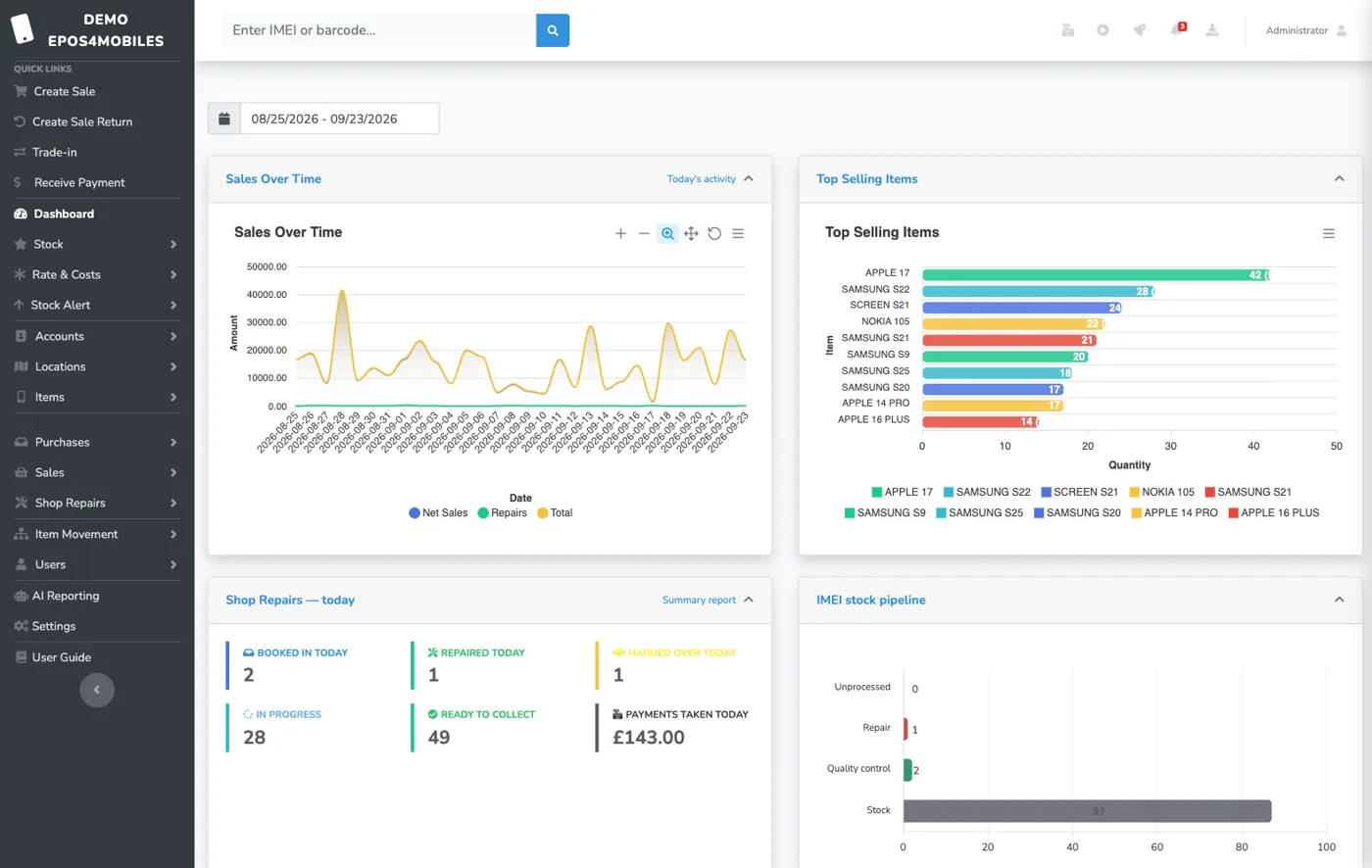
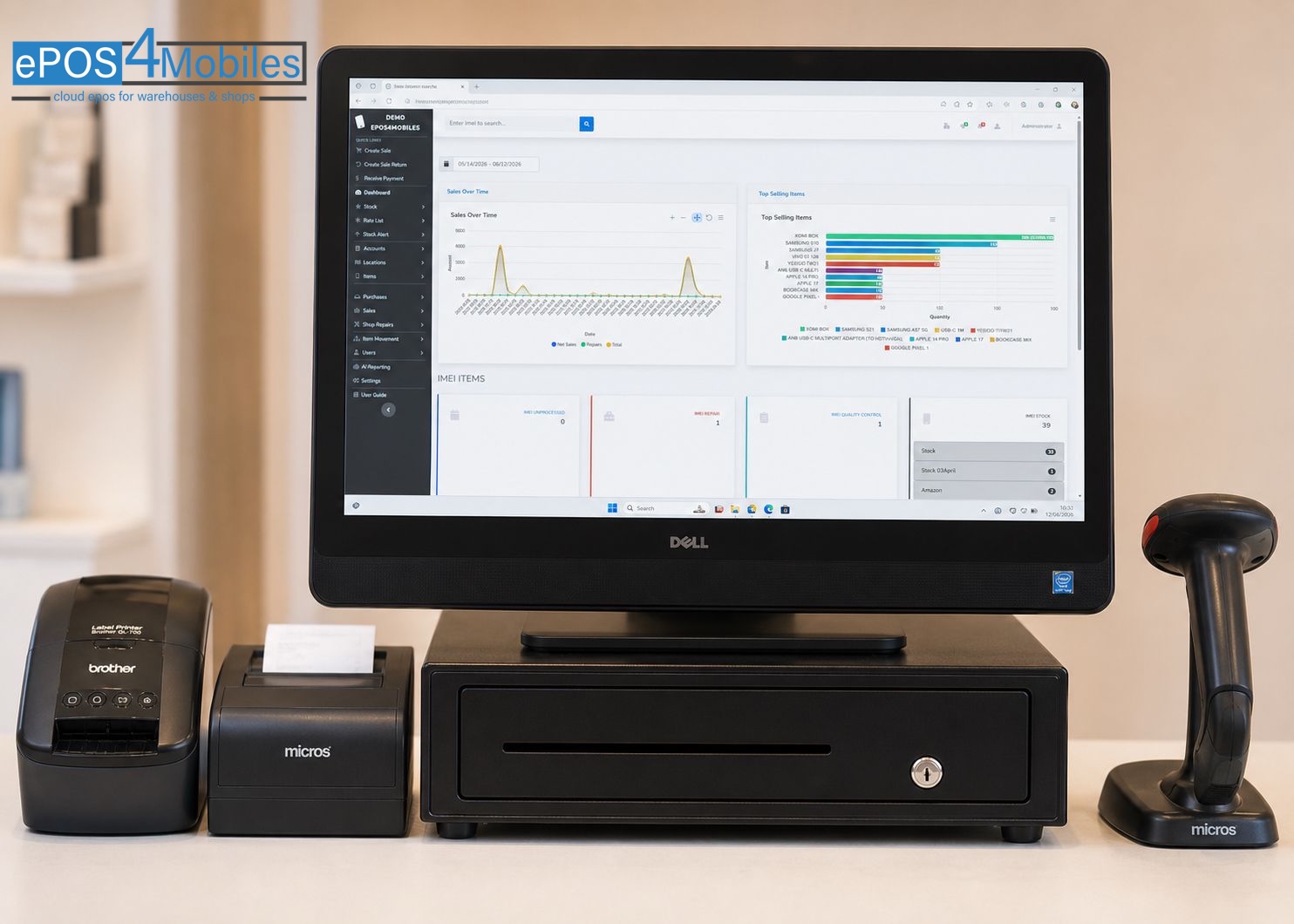
One dashboard for sales, repairs and IMEI stock
Everything you need
Stock, repairs, trade-ins, accounts, labels, sales and reporting in one place, with AI help and video tutorials for the team.
Touch-screen or keyboard sales, IMEI and barcode search and mixed payments. Refunds use the discounted sale price, with return receipts offered as you give the refund.
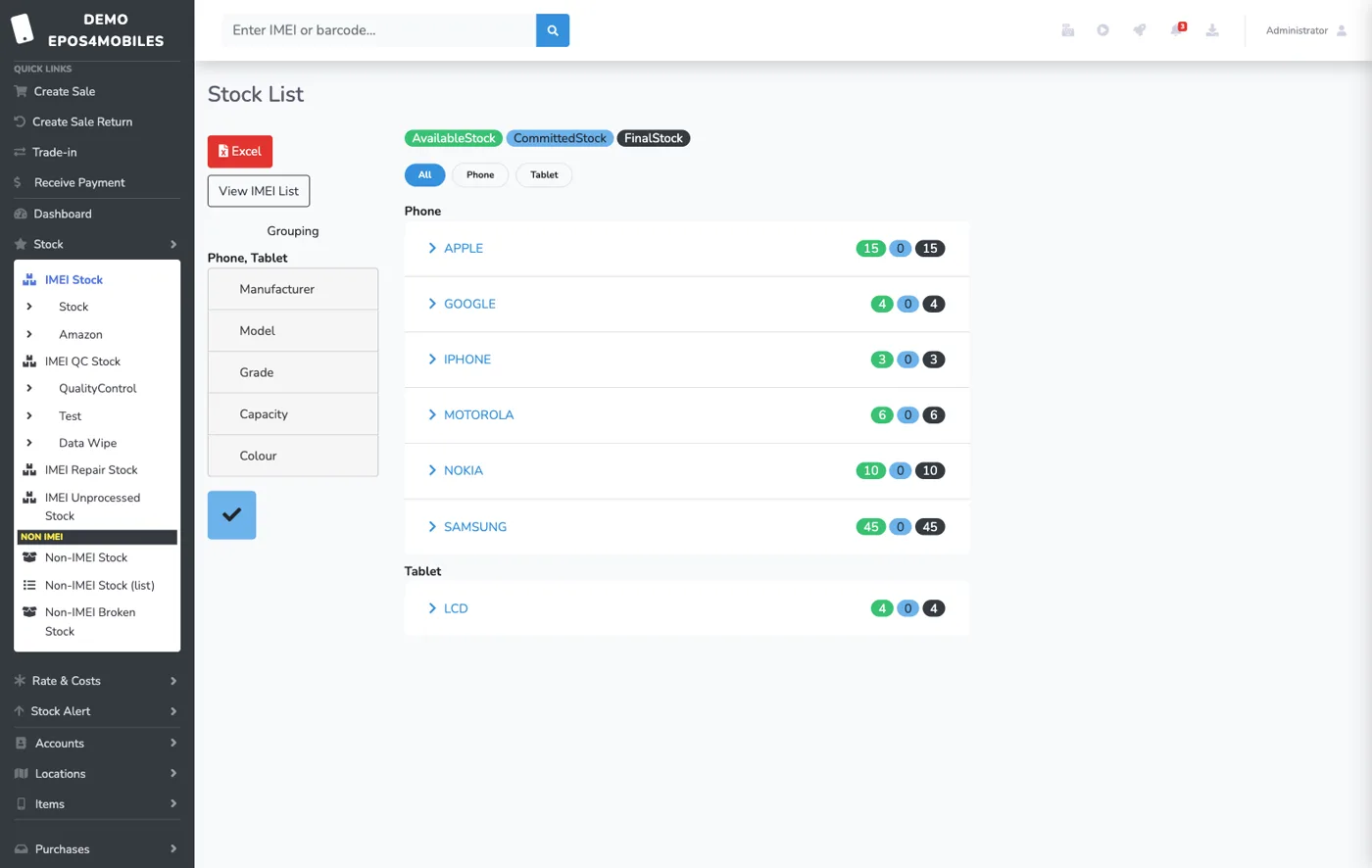
Track phones, tablets, computers, watches, earbuds, consoles and other serialised devices, plus accessories by barcode. Reuse colours, grades and capacities when adding stock; administrators can correct catalogue typos.
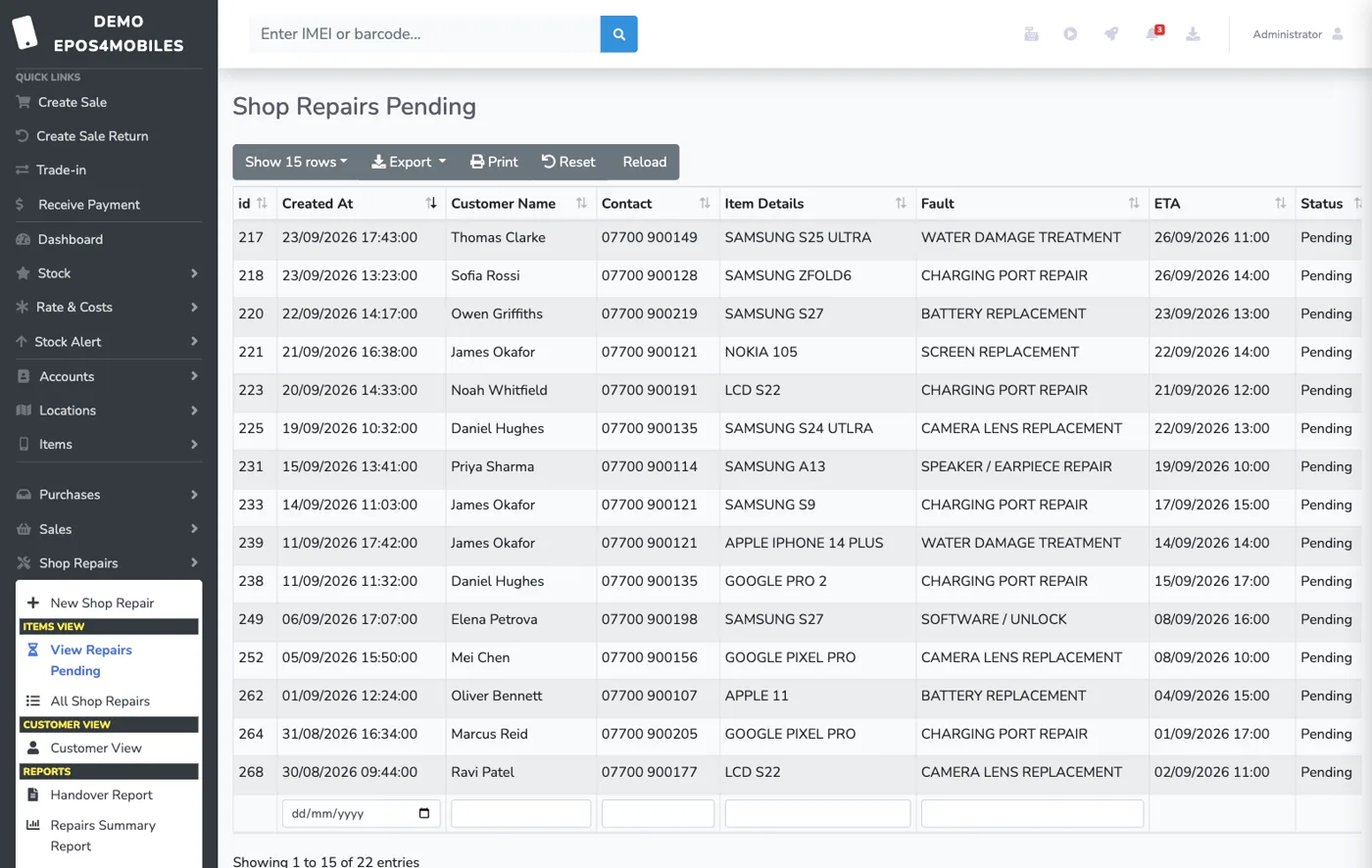
Book jobs in against a customer, set a promised collection date, assign technicians, log parts and repair costs, run QC checks and scan to hand over.
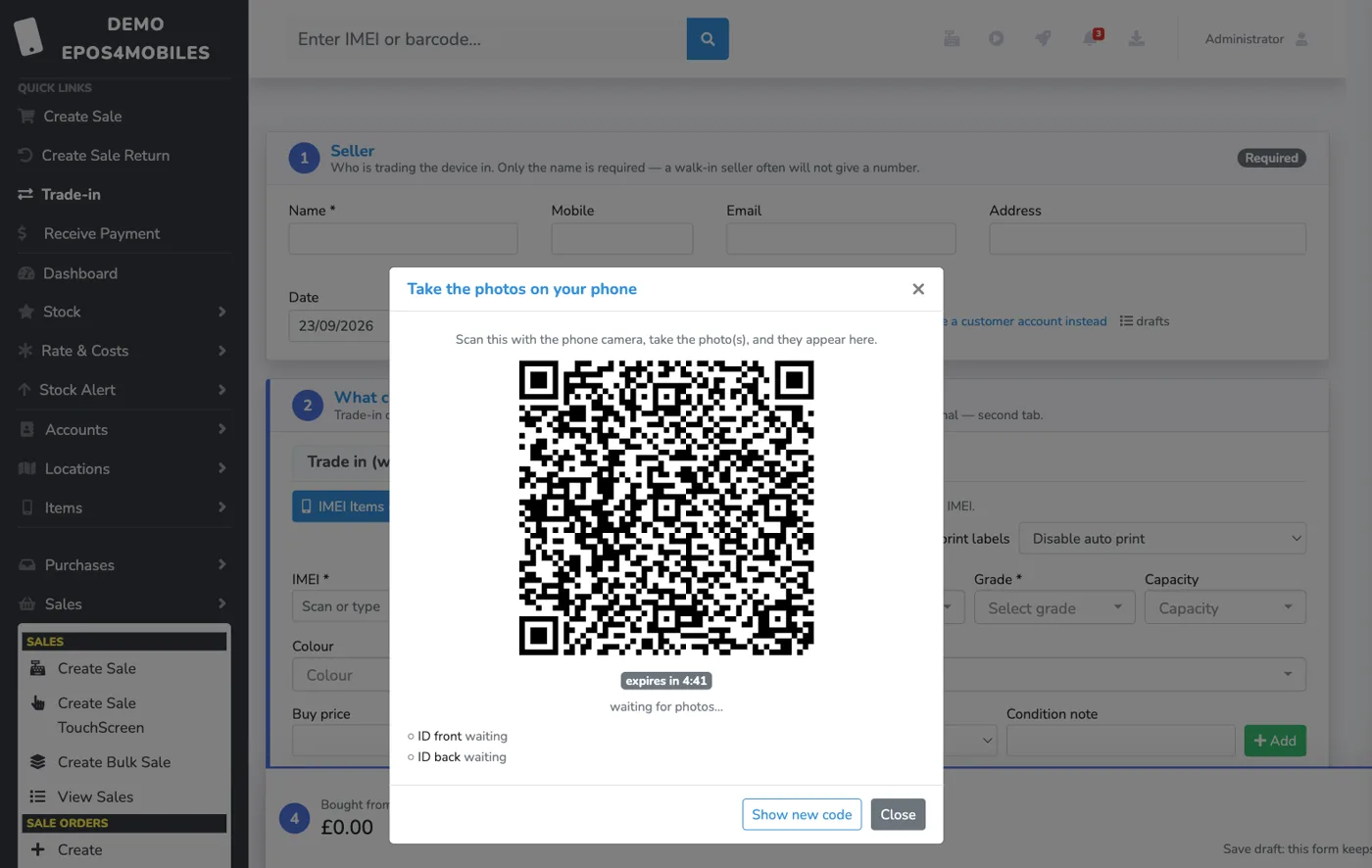
Buy a device in and sell one out on the same netted receipt. Capture the seller’s ID by scanning a QR with any phone — no card reader or scanner needed — with signed declarations stored against the deal.
Create purchase orders, receive parcels, import stock in bulk, handle supplier returns and keep warehouse intake visible from one dashboard.
Run several shops and a warehouse from one account. Move stock between locations with a tracked trail, and see what each site is holding at a glance.
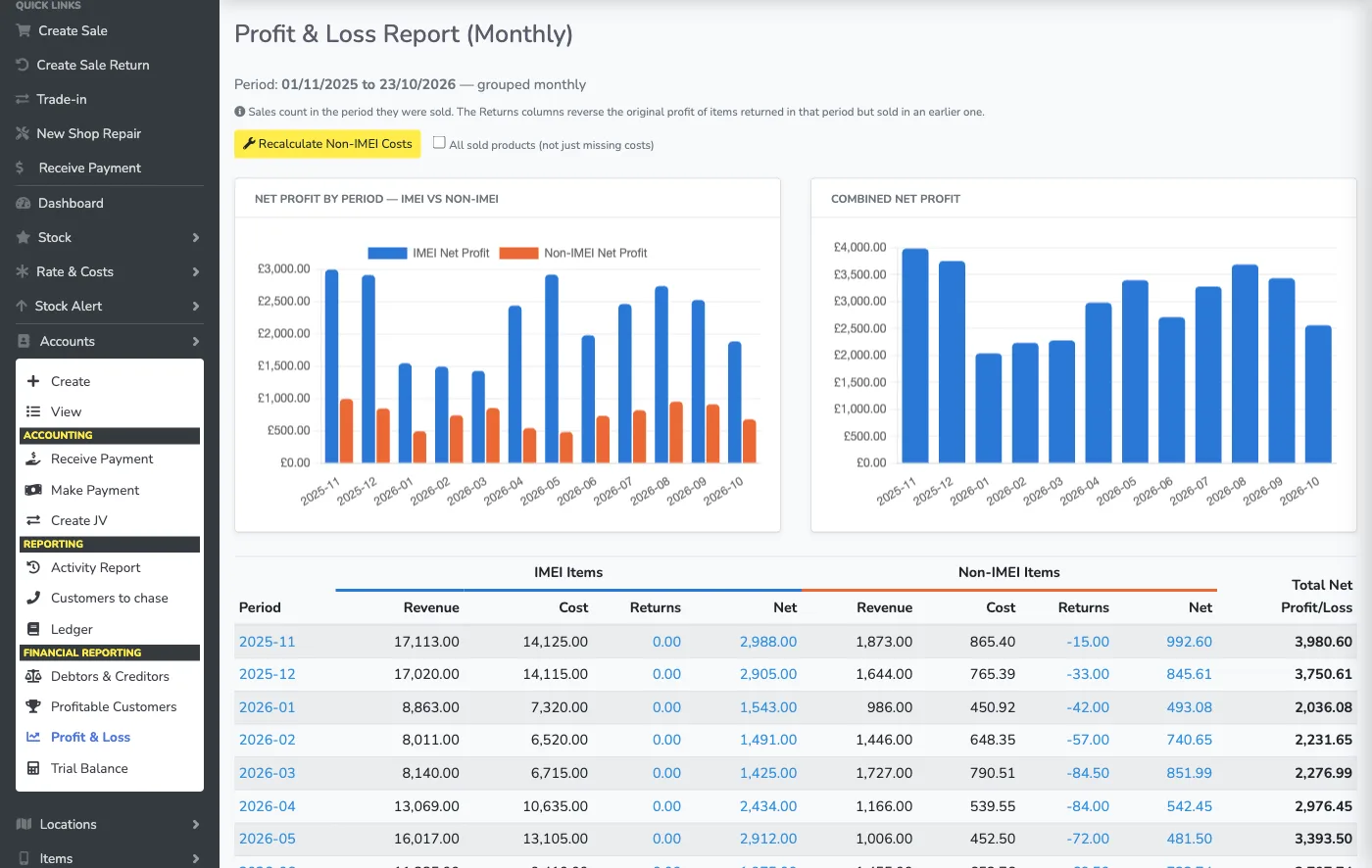
Manage ledgers, payments, journal vouchers, debtors, creditors and multi-currency activity. See profit & loss by week, month or year, with handsets and accessories split out, and print payment receipts at the counter.
Print device, accessory, sale and repair labels. Adjust layouts in P-touch Editor with an in-app video guide; custom labels survive print-service updates. Print receipts or A4 paperwork from the same workflow.
Set a minimum quantity per product and get told what is running low before the shelf is empty, with sold-vs-stock reporting behind it.
Send repair status updates, invoices, payment PDFs and account reports through WhatsApp from the same operational workflow.
Ask “How do I…?” from any screen. Get steps from the user guide, with the page you’re on as context and relevant tutorial videos. Administrators can review unanswered questions to see where staff need help.
Ask questions about your shop’s data with AI-assisted reporting. Follow sales charts, top-selling handsets and repair counts, plus a daily activity breakdown by model and capacity on screen, PDF, WhatsApp or receipt.
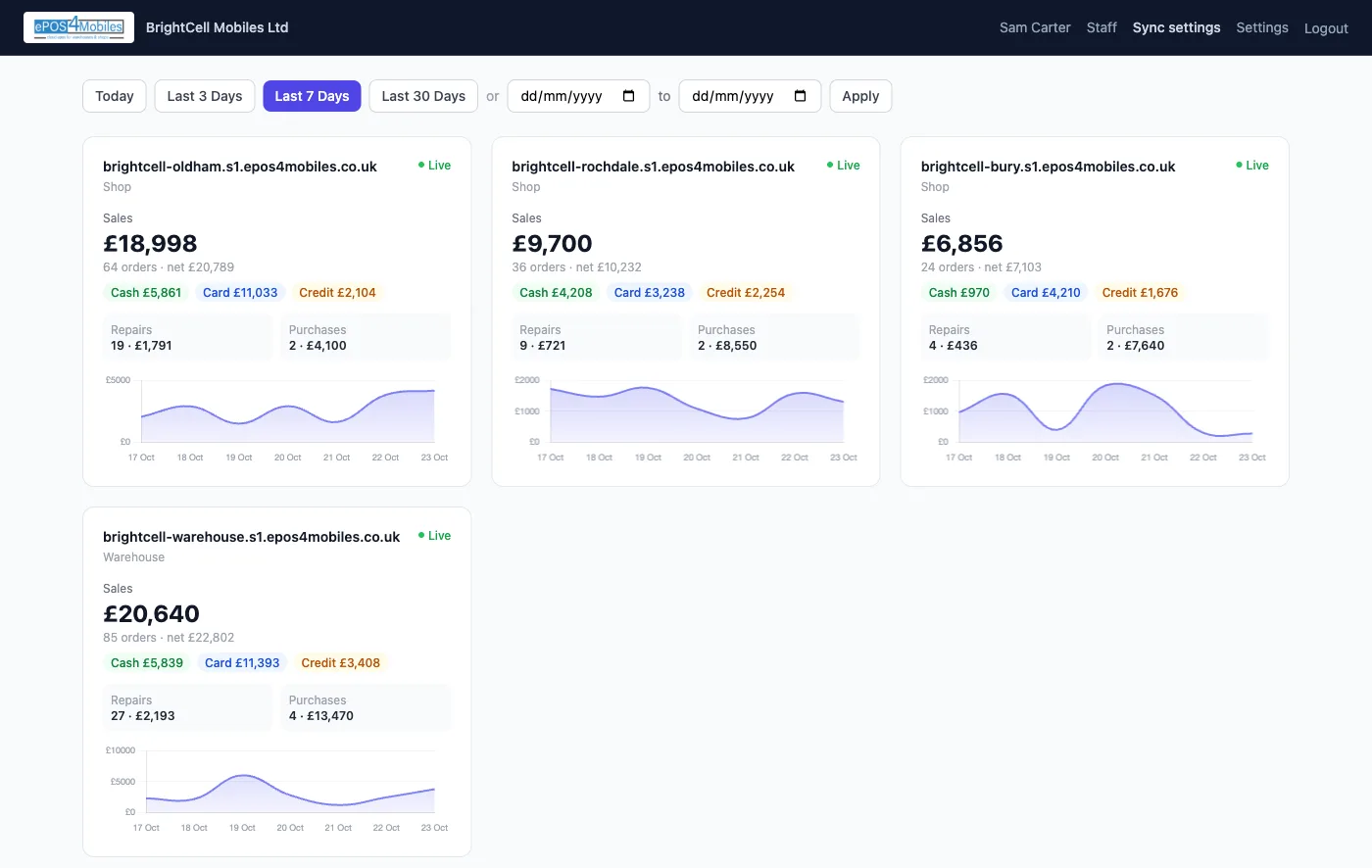
One login for every shop and warehouse you own: live sales, cash, card, repairs and purchases side by side, and settings copied between shops after a preview. See the portal →
Just shipped
Recent updates for repairs, payments and receipts. Every release is listed on What’s New.
Give money back from the repair itself, by cash or card. The refund stays on the receipt and in the accounts, can never exceed what was taken, and warns you if it goes back a different way than it came in.
Trade customers pay a round number, not each job’s cost. Take it once and it is spread across their repairs, oldest first, with anything left kept on the account. The handover screen shows what is still owed before you hand over.
Cash, card, bank or credit printed under the total, with both amounts when a sale is paid two ways. Repair slips show deposits, balances and refunds line by line.
Multi-shop portal
One login shows every shop and warehouse on your account, with live figures for whatever dates you pick.
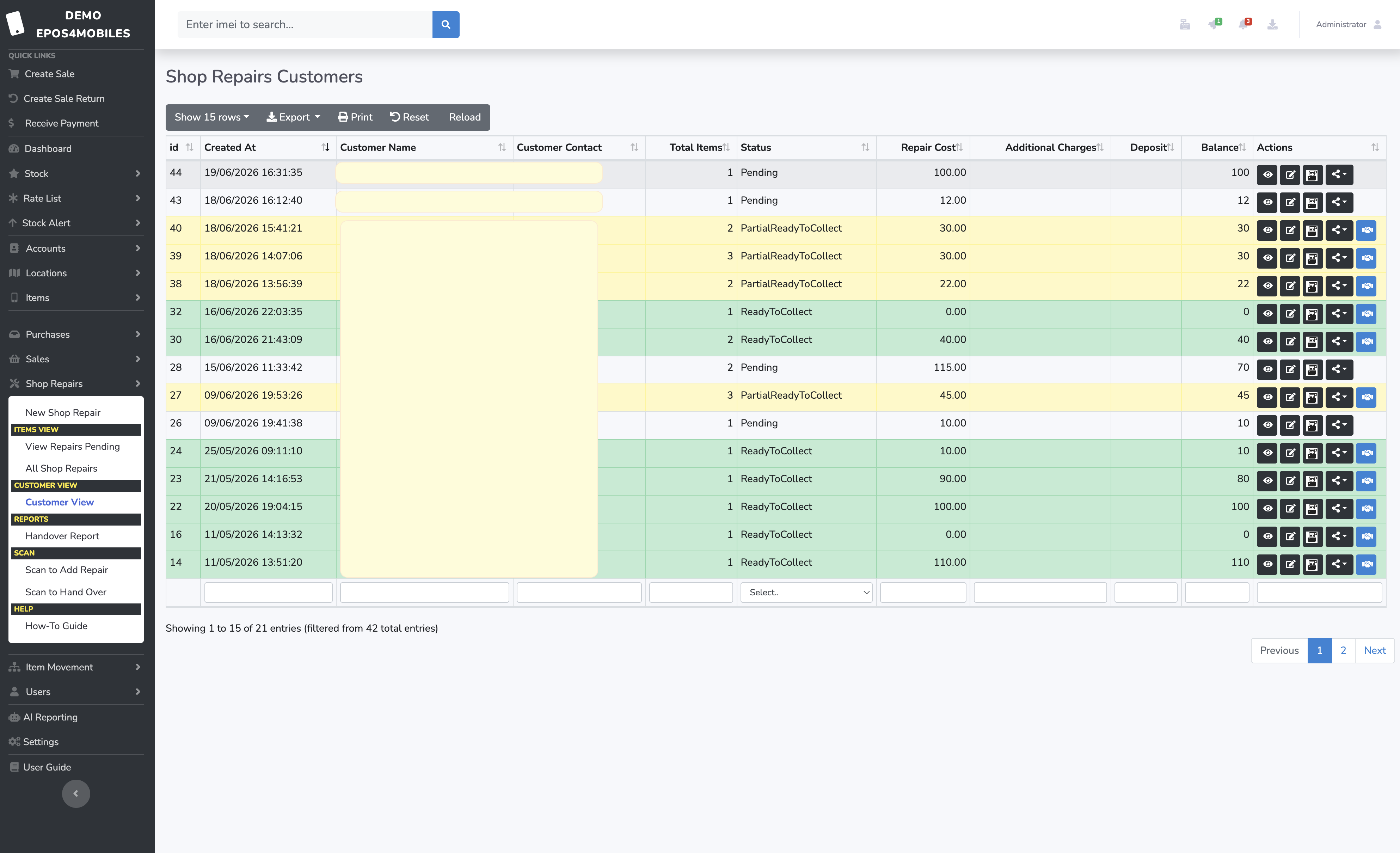
Repair Management
Assign jobs to technicians, track progress in real time, and send WhatsApp status updates to customers automatically — all from one screen.
How it works
No installations, no IT setup. Just open a browser.
Create your account, add your shop details and import your stock list — or start from scratch.
Invite unlimited staff, configure permissions, connect printers and barcode scanners.
Sell, restock, repair and report — everything syncs in real time across every device.
Pricing
No per-user fees. No setup fees. Cancel anytime.
For non-phone shops — groceries, juice bars and general retail selling everyday items.
For single mobile phone retail shops.
For warehouses & multi-location operations.
7-day free trial — no card required.
FAQ
Short answers about stock tracking, repairs, hardware and setup.
Yes. ePOS4Mobiles is designed around mobile retail workflows including IMEI and serial tracking, non-IMEI accessories, repairs, QC, sales, purchase orders, parcels and accounts.
Yes. The system tracks IMEI or serialised devices as well as non-IMEI stock such as accessories, parts and consumables across shops and warehouse locations.
Yes. Shops can log repair jobs, assign technicians, track repair costs and parts, manage QC workflows and send customer status updates through WhatsApp.
Yes. A trade-in records the device bought from the seller and any device sold to them on one netted receipt. Staff can capture the seller’s ID photos by scanning a QR code with any phone, and the signed declaration is stored against the deal.
Yes. The multi-shop portal gives owners one login for every shop and warehouse on their account, with live sales, cash, card, credit, repairs and purchases side by side. Settings can be copied from one shop to the others after a preview of every change.
Yes. The “How do I…?” assistant is available on every page. Ask in your own words for steps or an explanation; it uses the user guide and the screen you are on, and offers relevant tutorial videos. If the guide does not cover the question, it records the gap for administrators to review.
Yes. Searchable columns have filters below the tables, including stock details, rate-list prices, sale and purchase order numbers, parcel locations and item movement descriptions. Lists can also be exported for further analysis.
Yes. ePOS4Mobiles supports barcode scanning, barcode PDFs, label printing and receipt printer workflows for faster counter and warehouse operations.
About ePOS4Mobiles
ePOS4Mobiles was created to fix the everyday headaches we kept seeing in mobile phone shops — clunky tills, lost repair tickets, stock that never matched the shelf, and accounting done at midnight. Today, retailers and warehouses across the UK, Europe and the Middle East use our cloud platform to sell faster, track every IMEI, and close the books on time.
Encrypted data, role-based access and automatic cloud backups.
Built for busy counters where every second matters.
Designed around how phone shops actually work — IMEIs, trade-ins, repairs.
Contact us
We work with UK mobile phone shops and warehouses that need faster selling, tighter stock control, and a repair workflow that does not get lost at the counter.
⌖Based in Radclyffe House
66-68 Hagley Road, Edgbaston
Birmingham, B16 8PF
United Kingdom