One login
Every shop and warehouse on your account behind one sign-in.

For owners running more than one shop
The ePOS4Mobiles multi-shop portal gives you one login for all your shops and warehouses. Compare today’s takings side by side, open any shop for the detail, and copy the settings that work in one shop to the rest.
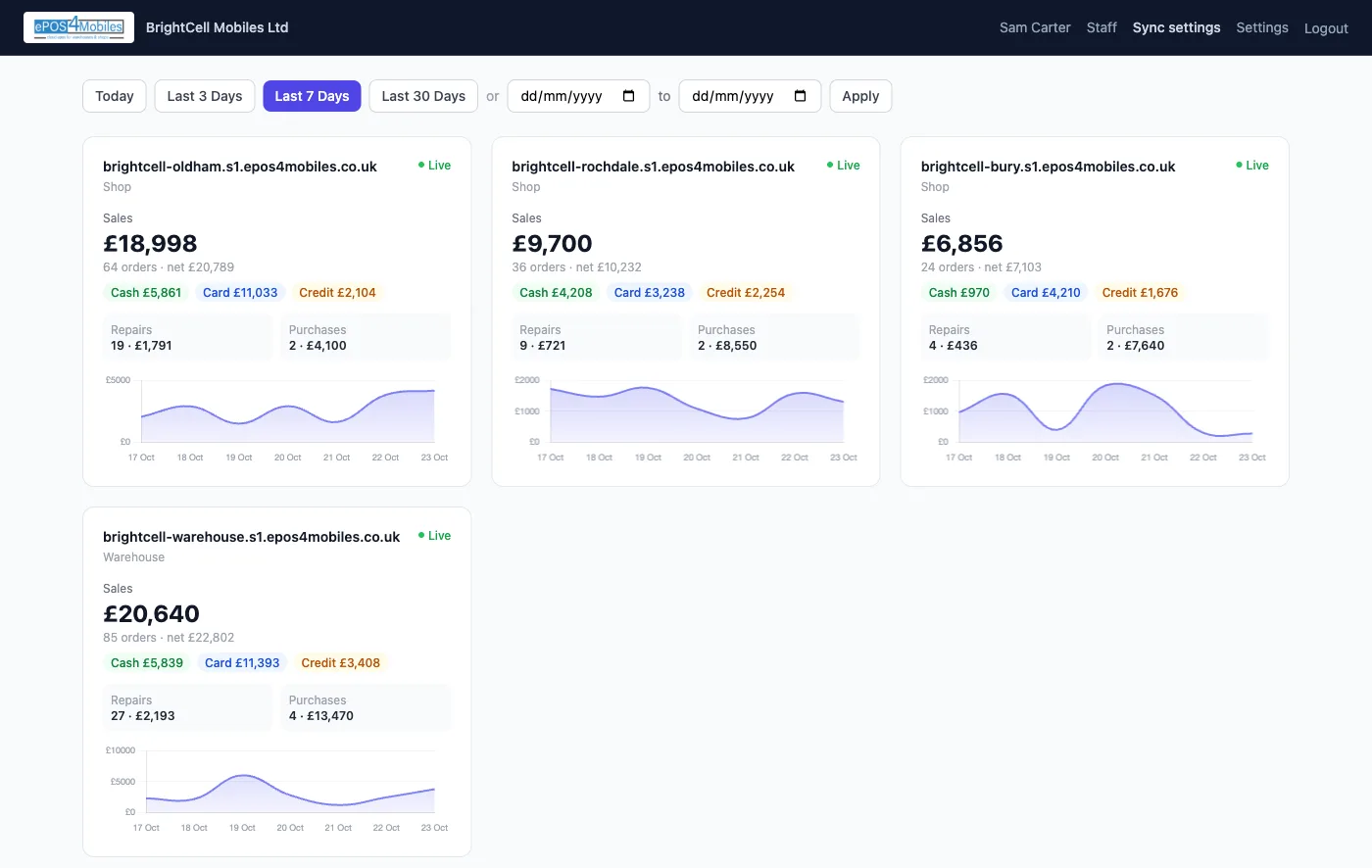
All your shops
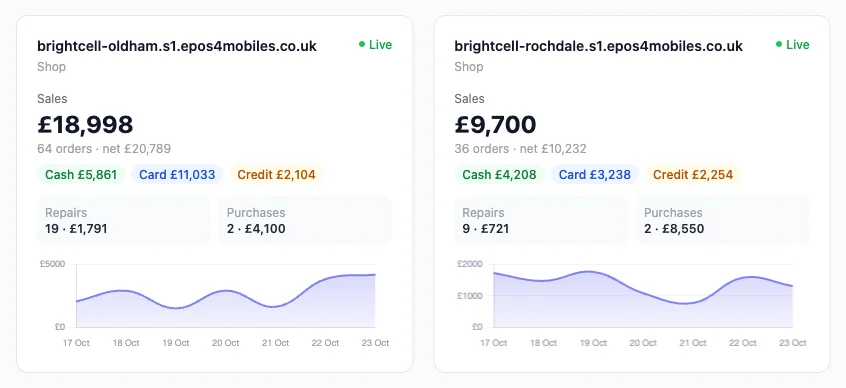
Each shop gets a card with its sales, how they were paid, and the repairs and stock that came in. Pick a range and every card updates together.
One shop in detail
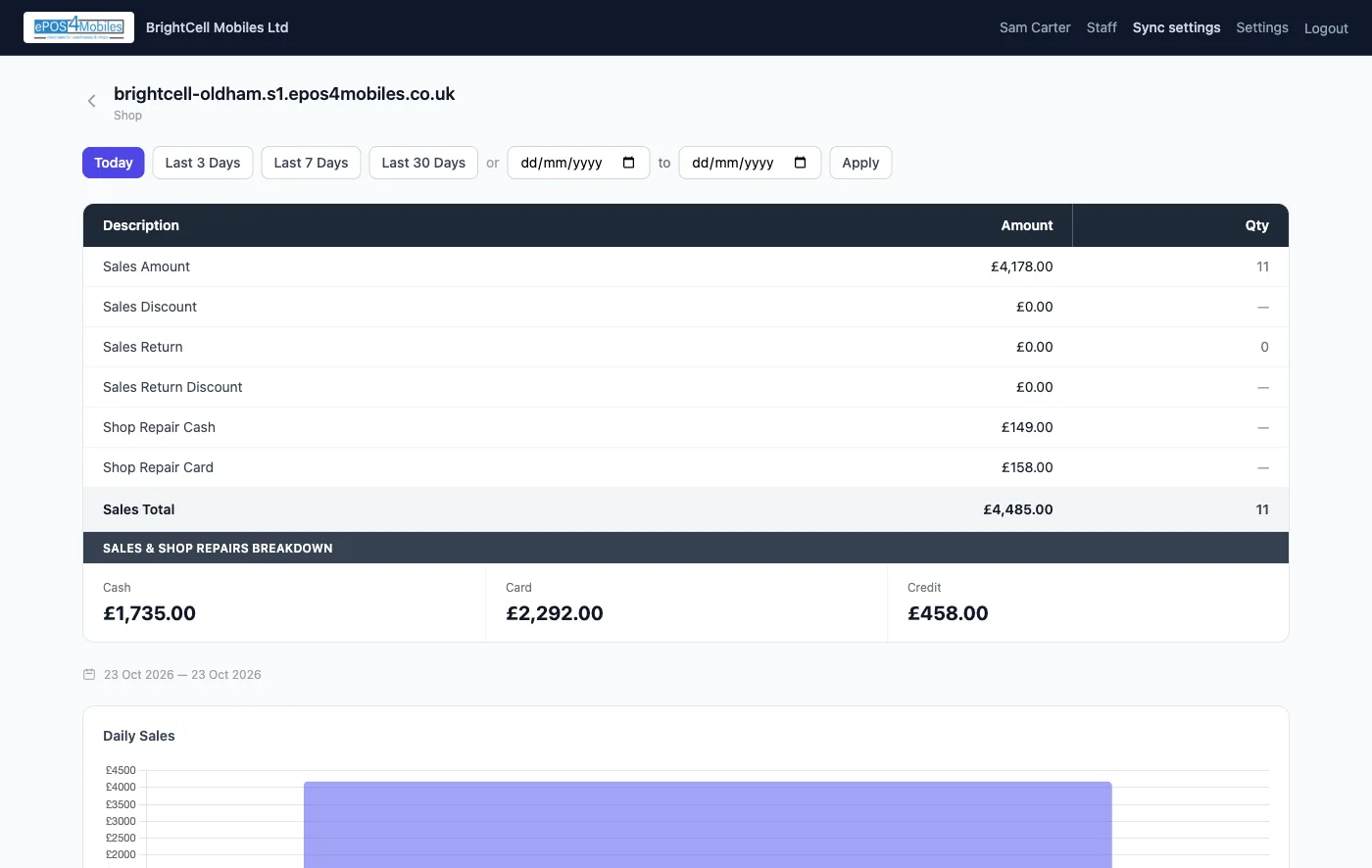
Click a shop and its figures open up line by line, the same way the shop’s own activity report adds them up.
Gross sales, discounts given, returns and return discounts, each on its own line with a count.
Repair money taken in cash and by card, added into the shop’s total.
Cash, card and credit for the period, plus a day-by-day sales chart.
Sync settings
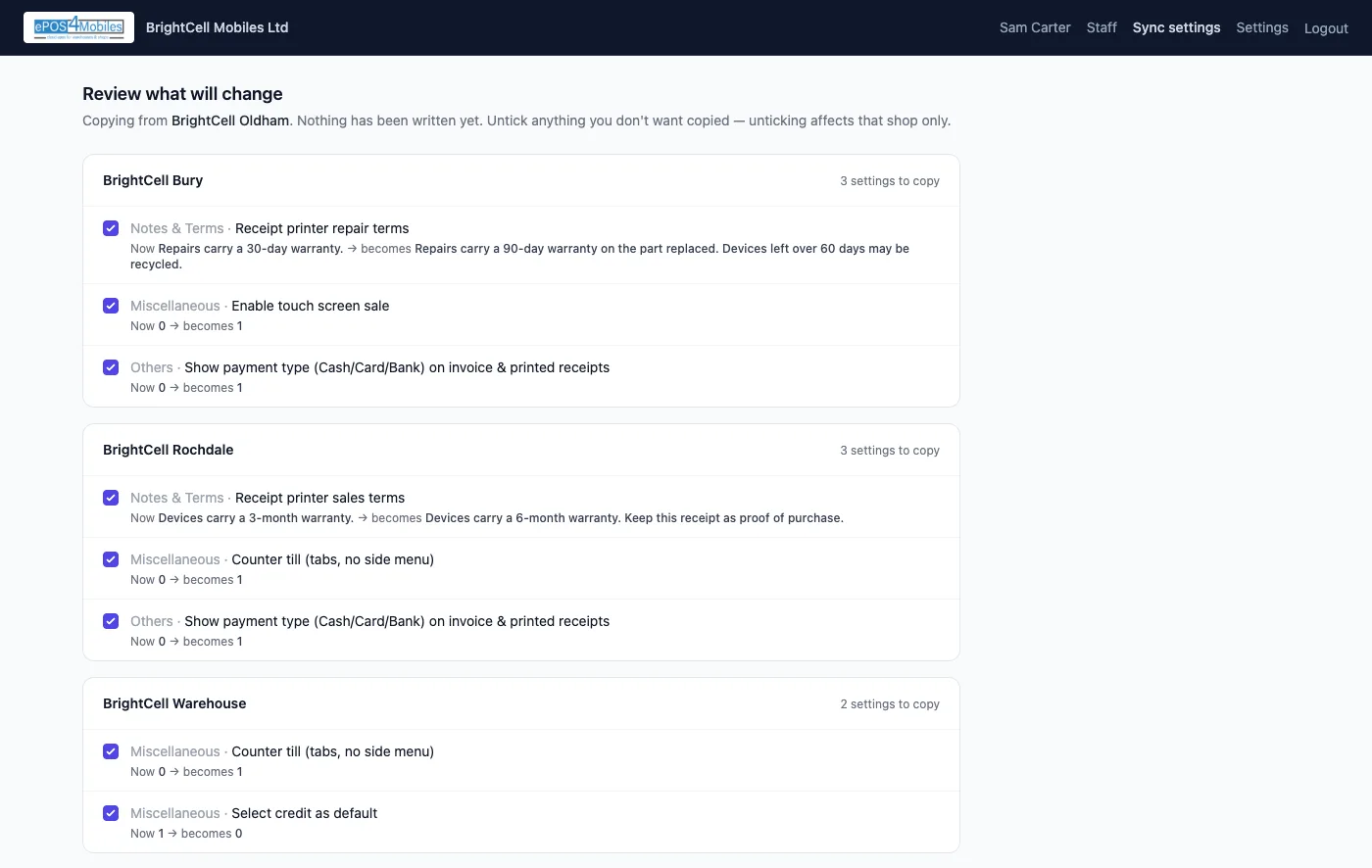
Got receipts, terms and till options right in one shop? Copy them to your other shops from the portal, without logging into each one.
Access
The portal shows figures and copies the settings you approve. Selling, stock and refunds stay in each shop, under each shop’s own staff permissions.
Every shop and warehouse on your account behind one sign-in.
Add managers with their own login and switch access off whenever you need to.
A one-time code by email protects every portal login.
FAQ
What it shows, what it copies and who can use it.
Owners who run more than one ePOS4Mobiles shop or warehouse. Each shop keeps its own till, stock and staff logins; the portal sits above them so the owner can see and manage all of them with one sign-in.
Yes. The portal reads each shop’s own figures when you open it, so the sales, cash, card, credit, repair and purchase totals match what the shop itself shows for the same dates.
No. Sync settings always shows a preview first: every setting that would change, in every shop, with its current and new value. Nothing is written until you confirm, and you can untick any setting for any shop.
Anything that belongs to one shop only: its name, address and logo, bank details, email account, WhatsApp number, printer network addresses and stock locations. Receipt and label printer switches only copy once the receiving shop has its own printer set up.
Yes. Add staff from the portal and give each one their own email and password for portal access. Sign-in is protected by a one-time code sent by email, and you can switch a person’s access off at any time.
Contact us and we will switch it on for your account. If you are opening another shop, we can set the new one up with the settings of a shop you already run.
Contact us
Tell us how many shops and warehouses you run and we will switch the portal on for your account, or set up your next shop with the settings you already use.
⌖Based in Radclyffe House
66-68 Hagley Road, Edgbaston
Birmingham, B16 8PF
United Kingdom